
Help for Dayloom
Make room for what matters.
Dayloom brings your Outlook.com calendars and subscribed calendar feeds into one family schedule. Find setup steps and answers here, or get in touch with support.

Your schedule stays on your device.
Dayloom processes imported calendar and family information locally and protects saved app data with encryption. Read the Privacy Policy for details about Microsoft sign-in and calendar feeds.
-
Read-only access
Dayloom reads the calendars you choose. It never changes the originals.
-
Encrypted on your device
Saved app data is encrypted, with its key held in the iOS Keychain.
-
No ads or analytics
No advertising or analytics services are built into the app.
A look inside
One calm view of your family’s day.
Dayloom on iPhone, shown here with a sample family.
-
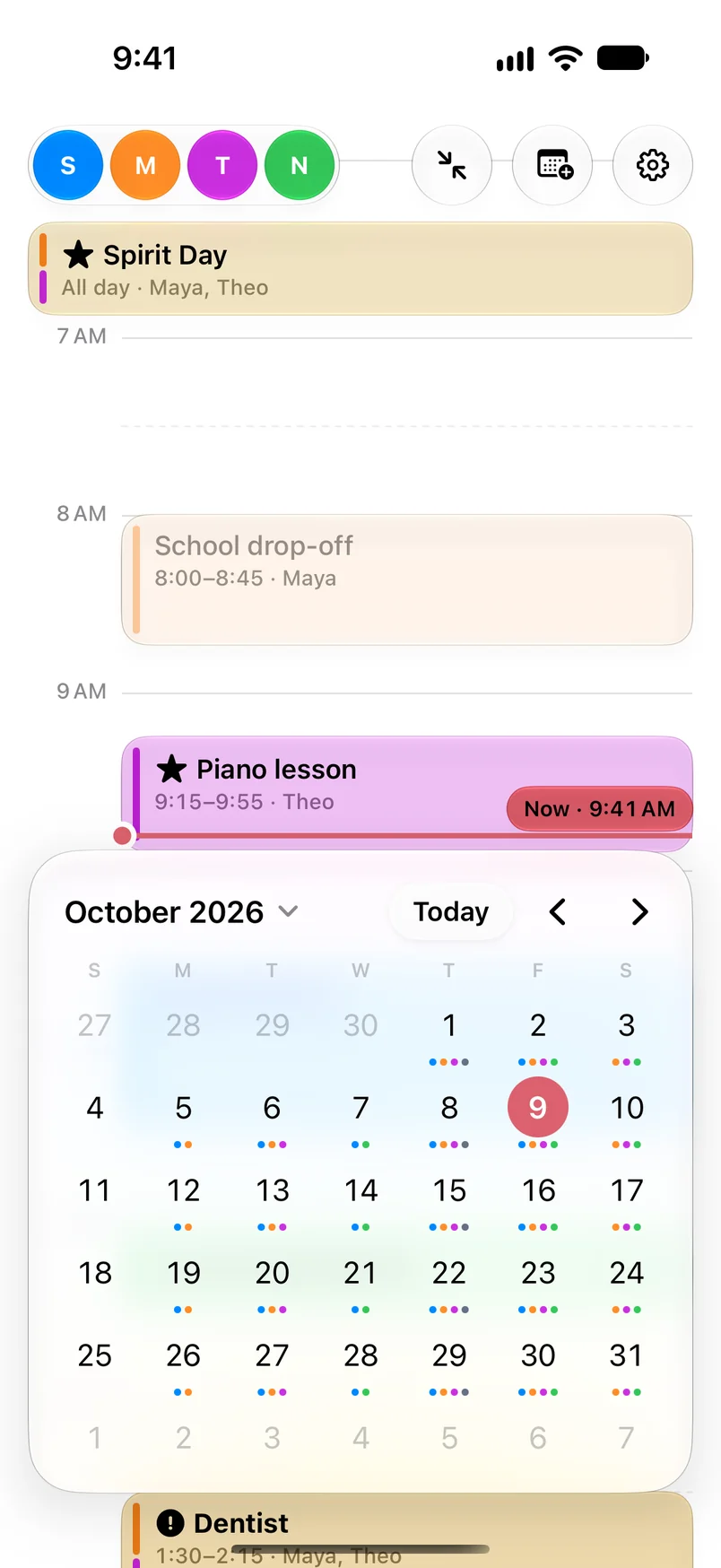
Month viewUnfold the week into the month. Colored dots show who has events each day. -

Event detailsChoose who an event affects and how important it is. -
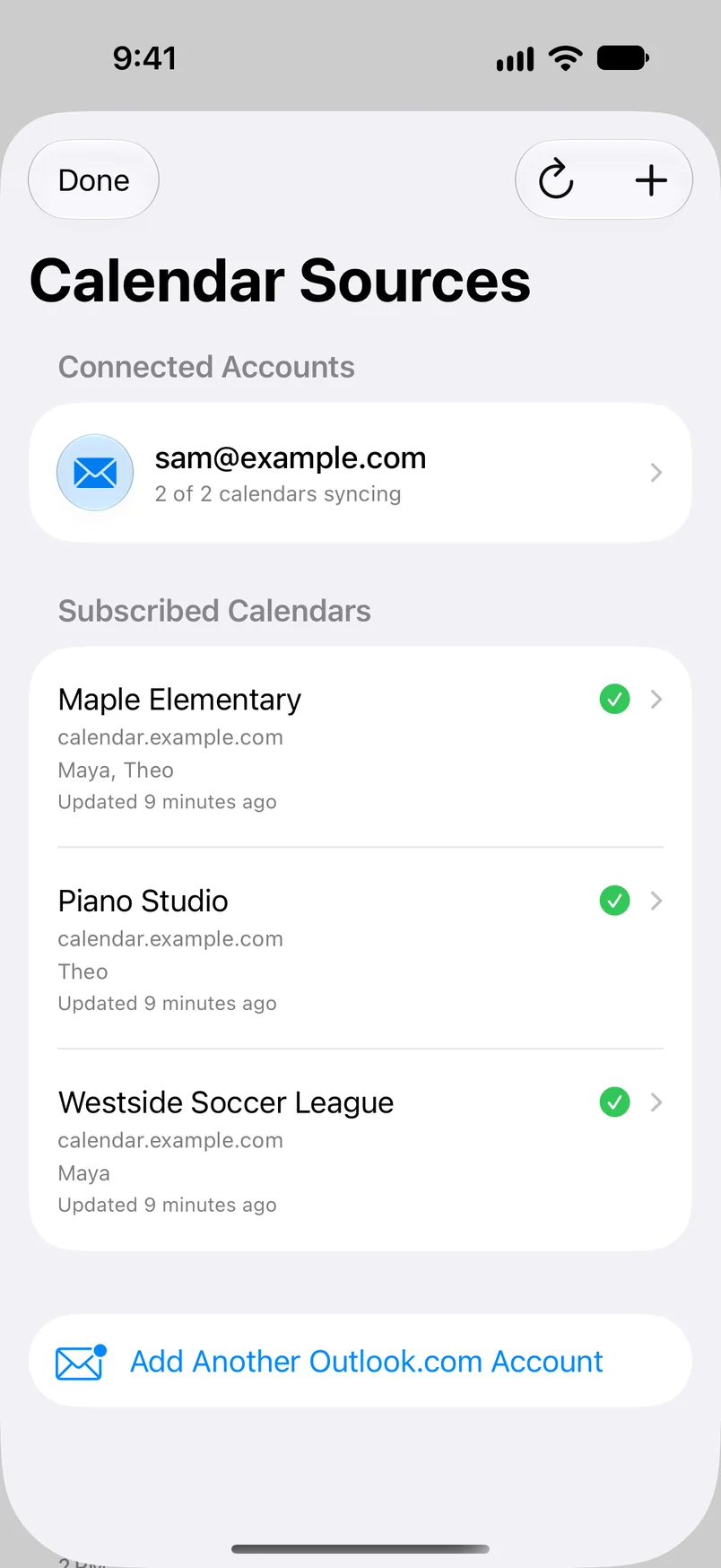
CalendarsSee connected accounts and subscribed calendars in Settings, and who each is for. -

FamilyAdd family members and give each a color or a photo.


Getting started
Connect a calendar in a few steps.
Choose a Microsoft calendar or subscribe to an iCalendar feed. Dayloom asks for read-only calendar access.
-
Open Settings
In Dayloom, tap Settings, then Add Calendar under Calendars. The first time you open Dayloom, Settings opens for you.
-
Choose your source
Connect Outlook.com and select calendars, or add a secure HTTPS/webcal calendar URL. You can scan a QR code for a URL.
-
Refresh when needed
In Settings, tap Refresh Calendars to check for the latest events. Imported events are organized on your device.

Which calendars can I connect?
Dayloom supports Outlook.com accounts and calendar subscriptions using HTTPS or webcal URLs, including iCalendar feeds. A feed must be reachable by your device to refresh.
What access does Outlook connection require?
Dayloom uses Microsoft sign-in and requests read-only access to calendars, including shared calendars. You choose which calendars to use in Dayloom; it does not edit events in Outlook.
How do I add a calendar subscription?
Open Settings, tap Add Calendar, then Add Calendar URL. Enter a calendar name and its HTTPS or webcal URL, then tap Subscribe. You can also scan a QR code containing the calendar URL. Only use subscription links you trust; a private feed URL can act like a password.
Why are my events not up to date?
Open Settings and tap Refresh Calendars. Check that your device is online and that a subscribed feed is still available. For Outlook.com, confirm that the account is still connected. If the issue continues, email support with the calendar source type and what you see. Please don’t send private calendar URLs or account passwords.
How do I remove a calendar or disconnect an account?
Open Settings. Swipe a subscribed calendar’s row to remove it, or swipe an Outlook.com account to disconnect it. Family names and avatars are managed in Settings too.
How do I see one person’s day?
Tap their face in the family row at the top of the timeline. Their events stay in full, and everyone else’s shrink to a narrow column on the left, so you can still see when others are busy. Tap the same face again to see everyone.
Where is my calendar information stored?
Calendar events, family details, and subscription settings are stored in Dayloom’s encrypted local app data. Microsoft sign-in tokens are kept in the iOS Keychain. See the Privacy Policy.
Still need a hand?
We’re happy to help.
Include your device model and iOS version, and describe what happened.
lumeiapp@outlook.comKeep it private
Do not include passwords or private calendar subscription links.